

Xbox Cloud Gaming has changed the way people think about playing games. Instead of treating gaming as something tied to a powerful console or expensive PC, it opens the door to a more flexible model where the game runs on remote hardware and streams to your screen in real time. That sounds simple on the surface, but the impact is much bigger than it first appears. For players, it means less waiting, less dependence on local hardware, and more freedom to move between devices. For the industry, it represents a shift in how games are accessed, distributed, and experienced. Xbox Cloud Gaming is not just a bonus feature for curious users. It is part of a broader move toward gaming as an on demand service, where convenience, accessibility, and ecosystem design are becoming just as important as raw hardware power.
What Xbox Cloud Gaming Actually Is
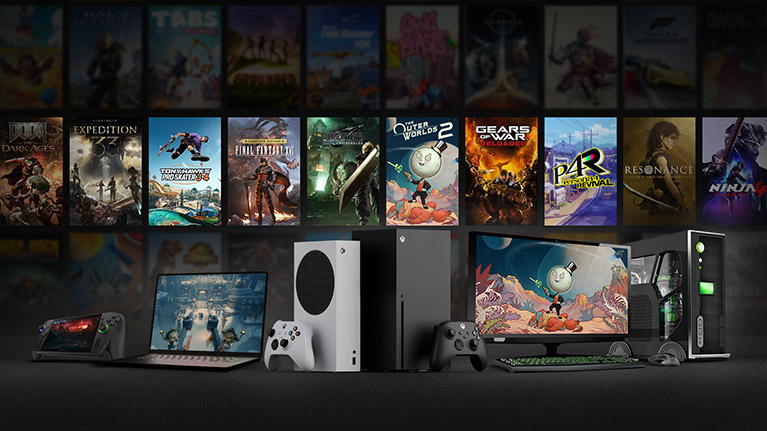
Xbox Cloud Gaming is a game streaming service that lets players launch and play supported Xbox games over the internet without needing to install them locally on the device they are using. The game runs on remote servers and the video feed is streamed to the player, while controller inputs are sent back to the server almost instantly. In practice, this means you can start a game on a compatible phone, tablet, browser, laptop, smart TV, or other supported device and play without relying on the machine itself to do the heavy work.
This is what makes cloud gaming different from traditional gaming. In a normal setup, your console or PC processes the game. In a cloud setup, the processing happens elsewhere, and your device mainly displays the stream and sends your commands.
The basic idea behind the service
The concept is built around three things:
- remote server hardware
- fast internet delivery
- low input delay
If all three work well together, the experience can feel surprisingly close to native play, especially for slower paced or moderately fast games. The better the network quality, the more stable the result.
Core elements of Xbox Cloud Gaming
|
Element |
Function |
Why it matters |
|
Remote servers |
Run the actual game |
Remove the need for strong local hardware |
|
Streaming technology |
Sends game video to the player |
Makes instant access possible |
|
Input transmission |
Sends controls back to the server |
Keeps gameplay responsive |
|
Device compatibility |
Allows play on many screens |
Increases convenience |
|
Subscription integration |
Connects cloud play with game library access |
Simplifies entry into the ecosystem |
Why Xbox Cloud Gaming matters in modern gaming
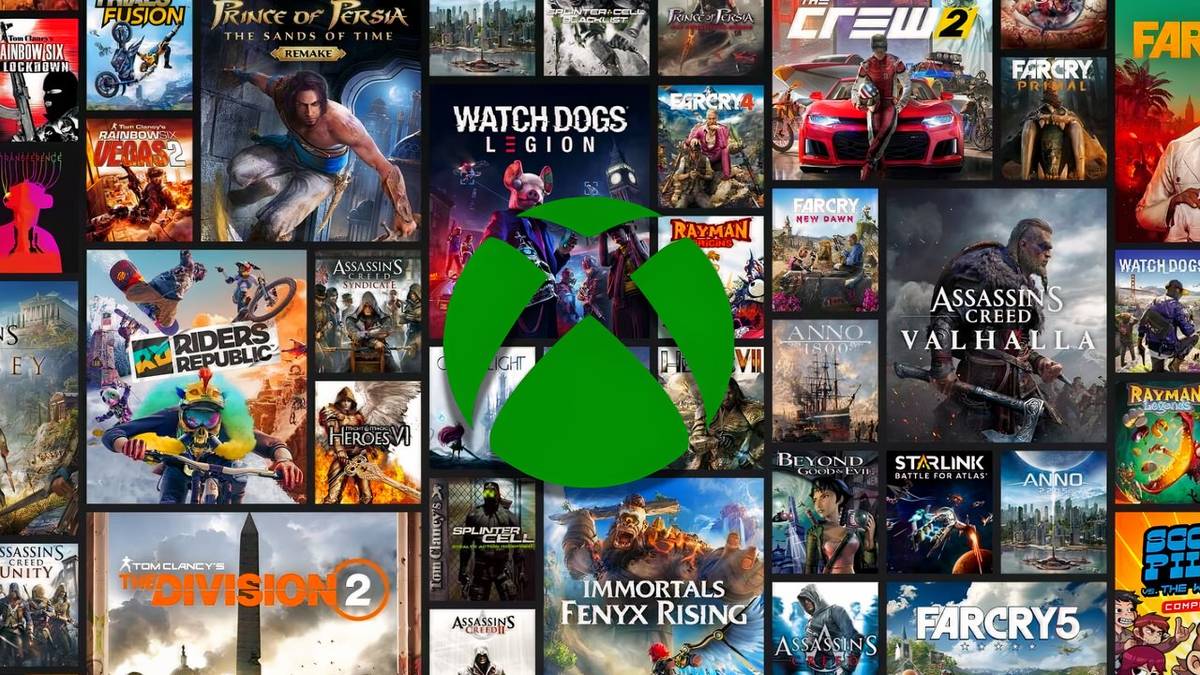
Cloud gaming matters because it addresses one of the biggest barriers in gaming: hardware access. Not everyone wants to spend heavily on a new console, gaming PC, monitor, storage upgrades, and accessories. Many players simply want to open a game and play. Xbox Cloud Gaming speaks directly to that desire, and platforms like https://esportlogic.de/bitcoin-casino-bonus/ reflect the growing interest in accessible modern gaming solutions.
It also matters because player habits have changed. People no longer expect entertainment to be tied to one device in one room. Music, films, shows, and work tools have already moved into flexible ecosystems. Gaming was slower to evolve because interactivity is technically more demanding. Streaming a movie is easier than streaming a game where every input matters. Even so, the industry has kept pushing in this direction.
Why players are interested in it
- it reduces hardware pressure
- it lowers friction before starting a game
- it helps people try games quickly
- it supports play across different devices
- it can fit better into busy daily routines
Traditional gaming versus cloud gaming
|
Category |
Traditional gaming |
Xbox Cloud Gaming |
|
Hardware dependence |
High |
Lower |
|
Install requirement |
Usually necessary |
Often not needed |
|
Storage use |
Local storage needed |
Minimal local storage |
|
Portability |
Limited by device |
More flexible |
|
Startup speed |
Depends on downloads and updates |
Often faster to begin |
|
Performance control |
Based on local hardware |
Based on streaming quality |
How Xbox Cloud Gaming works in practice
The service looks simple from the outside, but the technical process is layered. When a player launches a game, a remote machine in a data center starts an instance of that title. The game is rendered there, compressed into a video stream, and sent over the internet to the player’s device. The player sees the output, presses buttons, and those inputs travel back to the server. This loop keeps repeating many times per second.
That creates one central challenge: speed. In cloud gaming, every delay matters. Video encoding takes time. Travel over the network takes time. Display output takes time. Input return takes time. The total must remain low enough for the game to feel responsive.
The full chain of a cloud session
- The player selects a game
- The server loads the game remotely
- The game image is encoded into a stream
- The stream is delivered to the device
- The player sends inputs through controller or touch controls
- Inputs return to the server
- The game reacts and sends back the updated image
Main technical factors behind the experience
|
Factor |
Good result looks like |
Bad result looks like |
|
Latency |
Responsive controls |
Delayed input |
|
Bandwidth |
Sharp image |
Compression blur |
|
Stability |
Consistent session |
Stutters and drops |
|
Server load |
Fast access |
Waiting and variability |
|
Device display quality |
Clean presentation |
Reduced clarity |
Why latency is so important
Latency is the delay between an action and the visible response. In a turn based game, a little latency may barely matter. In a shooter, racing game, platformer, or fighting title, it matters a lot. Xbox Cloud Gaming lives or dies on whether the experience feels natural enough for the type of game being played.
Devices and play scenarios
One of the biggest strengths of Xbox Cloud Gaming is flexibility. It is not only about replacing a console. It is also about expanding where and how play can happen. Someone may still own a console and use cloud gaming as a second access point. Another player may rely on it as their main entry into Xbox gaming.
Common devices used for cloud play
- smartphones
- tablets
- laptops
- desktop browsers
- supported smart TVs
- low power PCs
- handheld compatible screens
What makes device flexibility attractive
A player might start a session in the living room, continue later on a tablet, and test another game from a browser without installing anything. That kind of convenience matters more than many people assume. Often, the hardest part of gaming is not the game itself. It is the setup around it.
Device strengths and limitations
|
Device type |
Main advantage |
Main limitation |
|
Smartphone |
Maximum portability |
Small screen size |
|
Tablet |
Comfortable casual play |
Less ideal for intense competitive play |
|
Laptop |
Easy access anywhere |
Depends on Wi Fi quality |
|
Desktop browser |
Familiar setup |
Still reliant on network consistency |
|
Smart TV |
Console like convenience |
Controller support matters |
|
Low power PC |
No need for strong GPU |
Not a replacement for all native tasks |
The role of internet quality
A weak local device can still run Xbox Cloud Gaming, but weak internet can break the experience entirely. That is the tradeoff. Cloud gaming shifts the burden away from hardware and places much more importance on connection quality.
The best experience usually depends on several things working together:
- stable broadband
- low network congestion
- strong router performance
- solid Wi Fi or wired setup where possible
- reasonable distance from server infrastructure
Why stability beats raw speed alone
Many users focus only on download speed. Speed matters, but consistency matters just as much. A connection that looks fast in a test but fluctuates badly can produce frame drops, image artifacts, or sudden interruptions. A slightly slower but stable connection often feels better in real use.
Network factors that shape the experience
|
Network factor |
Impact on play |
Practical outcome |
|
Download speed |
Affects stream quality |
Better image at higher stability |
|
Upload speed |
Helps return inputs and service communication |
Supports smooth interaction |
|
Ping |
Affects responsiveness |
Lower is better |
|
Jitter |
Affects consistency |
Lower means fewer sudden issues |
|
Packet loss |
Damages stream reliability |
Causes skips and glitches |
Ways players improve cloud performance
- move closer to the router
- reduce other heavy network usage
- use 5 GHz Wi Fi when appropriate
- prefer wired connections for fixed setups
- close bandwidth heavy apps
- avoid peak household congestion when possible
Game library and the value of instant access
One of the most appealing aspects of Xbox Cloud Gaming is the ability to start games quickly without waiting through large downloads. Modern games are huge. Updates are frequent. Storage fills fast. Many players spend more time managing space and installs than they want to admit.
Cloud gaming changes that relationship. Instead of asking whether a game is worth downloading, players can often jump in more casually. That lowers the commitment barrier and increases experimentation.
Why instant access changes behavior
A player who might hesitate to install a large game can be more willing to test it when launching takes seconds rather than hours. This is especially valuable for:
- trying unfamiliar genres
- testing games before deeper commitment
- returning to older titles quickly
- playing in short sessions
- sharing access habits within a broader ecosystem
Local install versus cloud launch
|
Step |
Local install model |
Cloud launch model |
|
Choose game |
Select title |
Select title |
|
Preparation |
Download and install |
Start stream |
|
Storage management |
Often necessary |
Usually minimal |
|
Update handling |
Often manual or automatic download |
Mostly handled server side |
|
Time to play |
Can be long |
Often much shorter |
Who Xbox Cloud Gaming is best for
Not every player gets the same value from cloud gaming. Some will love it immediately. Others will treat it as a useful side option rather than a primary way to play.
It works especially well for these users
- players without current generation hardware
- casual users who value convenience
- people who travel often
- users with several devices
- those who want to sample many games
- families sharing access points around the home
It may be less ideal for these users
- highly competitive players sensitive to latency
- users with unreliable internet
- players who prioritize pristine image quality
- people who want full offline access at all times
- those who mainly play genres where every millisecond matters
Best fit by player type
|
Player type |
Fit level |
Reason |
|
Casual gamer |
Very strong |
Easy access and low friction |
|
Busy adult player |
Strong |
Quick sessions without setup burden |
|
Competitive shooter player |
Mixed |
Latency can matter more |
|
Story driven player |
Strong |
Cloud quality is often enough |
|
Tech enthusiast |
Mixed to strong |
Great as part of a wider setup |
|
Travel friendly user |
Very strong |
Portable and flexible play |
Strengths of Xbox Cloud Gaming
The service has several clear strengths that explain why cloud gaming keeps gaining attention.
Convenience is the biggest advantage
Convenience is often underestimated by experienced gamers who are used to downloads, patches, hardware tuning, and storage management. But convenience is one of the most powerful forces in modern entertainment. A system that removes small obstacles can change habits dramatically.
Key strengths in everyday use
- no large install needed in many cases
- easier entry into big games
- reduced hardware barrier
- flexible access across devices
- better use of subscription ecosystems
- lower storage pressure
- useful backup way to play
Major strengths summarized
|
Strength |
Why it matters |
Everyday benefit |
|
Accessibility |
More people can play |
Less dependence on expensive hardware |
|
Speed to entry |
Games launch faster |
More actual play time |
|
Portability |
Gaming travels more easily |
Better flexibility |
|
Library exploration |
Easier to sample titles |
More discovery |
|
Device freedom |
More screens become gaming screens |
Better convenience |
Weaknesses and tradeoffs
Cloud gaming is promising, but it is not magic. Its limitations are real, and users should understand them clearly instead of expecting a perfect replacement for native hardware in every situation.
The biggest limitations
- image quality can vary with connection quality
- latency remains a factor
- internet dependence is unavoidable
- some games feel better locally
- ownership and access models are more service based
- offline play is not the core use case
Why image quality still matters
Even when responsiveness is acceptable, streaming quality may not always match what a strong local console or PC can deliver natively. Compression can soften detail, especially in dark scenes, fast motion, or visually complex environments. For some players this is fine. For others it becomes a constant reminder that the game is being streamed.
Main tradeoffs at a glance
|
Tradeoff |
Cloud benefit |
Cloud cost |
|
No installation |
Faster access |
Requires strong internet |
|
Lower hardware burden |
Cheaper entry |
Less local control |
|
Device flexibility |
More places to play |
Quality varies by device and connection |
|
Service access |
Broad content entry |
Depends on platform support |
|
Quick game sampling |
Easy experimentation |
Not always best for competitive precision |
Xbox Cloud Gaming versus a console or gaming PC
Cloud gaming should not always be framed as a direct replacement. In many cases, it works better as part of a larger gaming setup. A player may use a console for primary sessions and cloud play for convenience. Another may use cloud gaming while saving for hardware. A third may skip hardware entirely and accept the tradeoffs.
Where a console still wins
A local console offers predictable performance, direct control, strong offline use in many cases, and lower dependence on network quality during actual play. It is usually the better option for players who want consistency above all else.
Where a gaming PC still wins
A gaming PC offers flexibility, graphics settings, broader use cases, mod support in many contexts, and more control over performance. Cloud gaming does not replace that level of freedom.
Comparison of main platforms
| Category | Xbox Cloud Gaming | Console | Gaming PC |
|---|---|---|
| Entry cost | Lower upfront | Moderate | Can be high |
| Portability | Strong | Limited | Moderate |
| Native performance control | Low | Medium | High |
| Offline use | Weak | Stronger | Stronger |
| Convenience | Very high | High | Medium |
| Competitive suitability | Limited by latency | Better | Best in many cases |
The human side of cloud gaming
Beyond hardware and internet, there is a more human reason cloud gaming matters: it fits changing lifestyles. Many people do not game in long uninterrupted blocks anymore. They have work, studies, travel, family commitments, and split attention. Starting a game quickly becomes a bigger advantage when free time is fragmented.
Cloud gaming fits into that rhythm. It allows lower friction, faster reentry, and more flexible use of short windows of time. That does not automatically make it the best way to play every game. It does make it highly relevant to the way people actually live.
Why flexibility has emotional value
Gaming is not always about maximizing technical perfection. Sometimes it is about removing obstacles between a player and the moment they want to relax. When a service makes gaming easier to reach, it can help users stay connected to a hobby they might otherwise engage with less often.
Lifestyle scenarios where it helps
- a parent playing briefly after work
- a student moving between home and campus
- a traveler using a tablet in a hotel
- a user testing several games before committing time
- a household where the main TV is not always available
The business logic behind Xbox Cloud Gaming
Cloud gaming is not only a technical project. It is also a strategic one. It supports a broader ecosystem approach in which platform value comes not only from selling hardware, but from keeping users connected through services, subscriptions, libraries, and device flexibility.
That makes sense in a market where digital ecosystems are becoming more powerful than single hardware boxes. The more places a user can access a platform’s content, the more resilient that ecosystem becomes.
Why the model is attractive from a platform perspective
- it expands reach beyond console owners
- it supports subscription value
- it reduces friction for trying new games
- it keeps users inside one ecosystem across devices
- it builds long term service habits
Strategic role in the wider market
|
Business goal |
Cloud gaming contribution |
Long term effect |
|
Expand user base |
Reaches players without consoles |
Larger ecosystem |
|
Increase engagement |
Makes games easier to access |
More frequent play |
|
Support subscriptions |
Adds extra value layer |
Stronger retention |
|
Device expansion |
Makes more screens relevant |
Wider platform presence |
|
Library discovery |
Encourages game sampling |
Better content circulation |
The future potential of Xbox Cloud Gaming
Cloud gaming still feels like a developing space rather than a finished destination. Its future depends on improvements in internet infrastructure, server scale, encoding efficiency, and user trust. The concept is already viable for many users, but there is still room to improve consistency, clarity, and responsiveness.
Areas where future gains could matter most
- lower latency
- cleaner image quality
- broader device integration
- smoother controller and input support
- better session continuity
- stronger mainstream adoption
What will decide its long term success
The future of Xbox Cloud Gaming will not be determined by hype alone. It will depend on whether the service can become dependable enough that average users stop thinking about the technology and simply treat it as normal. That is when platforms truly win. The moment the system disappears into the background, convenience takes over.
Should you use Xbox Cloud Gaming
The answer depends less on ideology and more on your habits. If you want maximum performance, local hardware still matters. If you want flexibility, convenience, and lower hardware dependence, Xbox Cloud Gaming is extremely appealing. For many people, the smartest answer is not either or. It is both.
Cloud gaming works especially well when treated as a practical tool. It can help you try games quickly, continue sessions away from your main setup, or reduce the pressure to upgrade hardware immediately. It becomes even more attractive when your expectations match what it does best.
Final thoughts
Xbox Cloud Gaming represents a meaningful shift in how games can be delivered and experienced. Its biggest strength is not raw technical spectacle. It is access. It makes gaming easier to reach, easier to start, and easier to fit into real life. That alone gives it major importance in the modern market. It will not replace consoles or gaming PCs for every player, and it does not need to. Its role is broader than replacement. It is an expansion of the Xbox experience beyond a single device. For casual players, busy users, travelers, and subscription oriented gamers, that can be a huge advantage. The service still lives with the realities of internet quality, latency, and streaming tradeoffs, but even with those limits, it has already proven that cloud gaming is more than a novelty. It is becoming a real part of how people play.
FAQ
What is Xbox Cloud Gaming
Xbox Cloud Gaming is a service that streams supported Xbox games over the internet so players can play on compatible devices without needing to install the game locally.
Do I need a powerful PC for Xbox Cloud Gaming
No. One of the main advantages is that the heavy processing happens on remote servers, so the local device does not need high end gaming hardware.
Is Xbox Cloud Gaming good for competitive games
It can work, but competitive players are often more sensitive to latency. For highly competitive gaming, local hardware is still usually the better choice.
Does internet speed matter a lot
Yes. A stable and responsive connection is essential. Cloud gaming depends heavily on connection quality, not just raw speed but also consistency and low delay.
Can I use Xbox Cloud Gaming on a phone
Yes. Phones are one of the common use cases, especially for portable and flexible play sessions.
Is cloud gaming better than a console
Not in every case. Cloud gaming is better for convenience and flexibility, while a console is better for consistent local performance and stronger offline use.
What is the biggest advantage of Xbox Cloud Gaming
The biggest advantage is easy access. You can start supported games quickly on multiple devices without large downloads or expensive local hardware.
What is the biggest weakness of Xbox Cloud Gaming
The biggest weakness is its dependence on internet quality. Latency, compression, and instability can affect the experience.
Is Xbox Cloud Gaming the future of gaming
It is likely to be part of the future, but not the only future. Local hardware, cloud access, and hybrid gaming habits will probably continue to exist together.
Who benefits most from Xbox Cloud Gaming
Casual players, busy users, travelers, and people without strong gaming hardware often benefit the most because the service emphasizes convenience and flexibility.